Assign project team members
The person creating the project is added automatically to the team list.
Team members are added or removed as the project/contract moves along its lifecycle or staff leave or join the team.
At a minimum the Project Team should be a person who has the P2i Senior Director or P2i Director role and others in the immediate team.
Note
-
A team member on the list can add and remove members.
-
A team member cannot remove themselves. Another team member will be able to remove you.
-
The Project Team receives notifications regarding the status of the procurement project and any changes to the ownership of the procurement project (such as late starting task notifications).
-
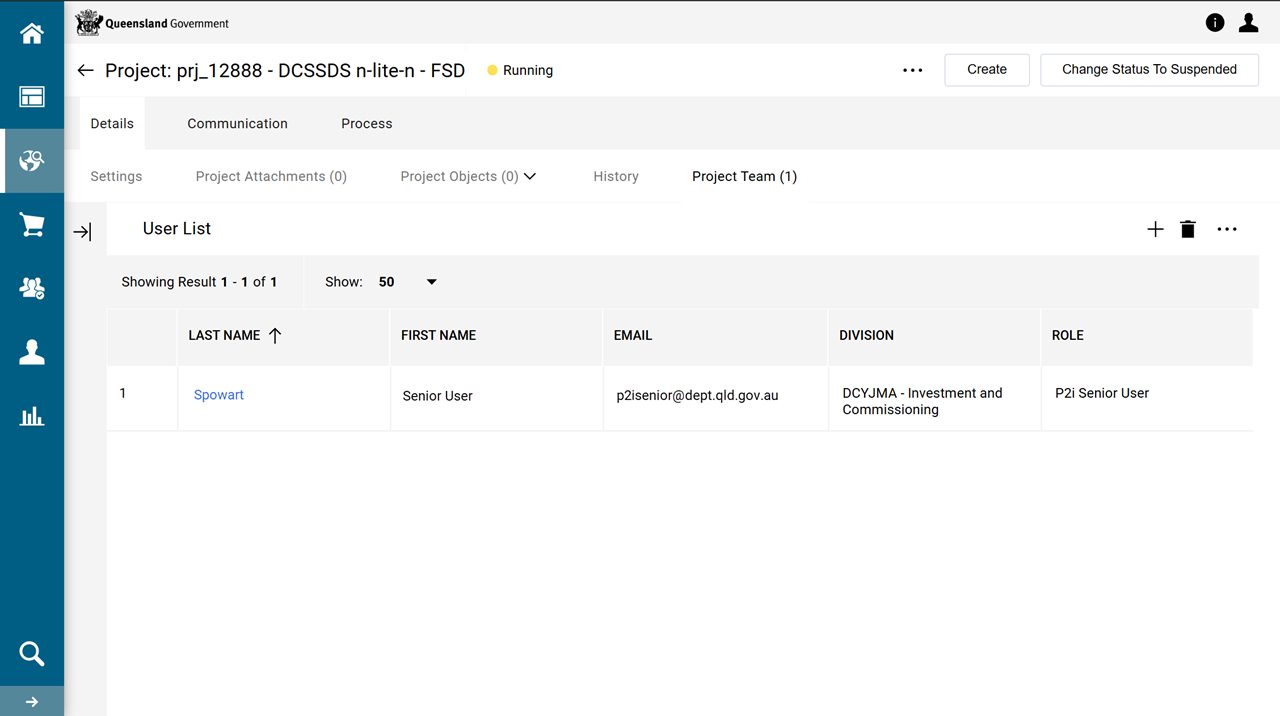
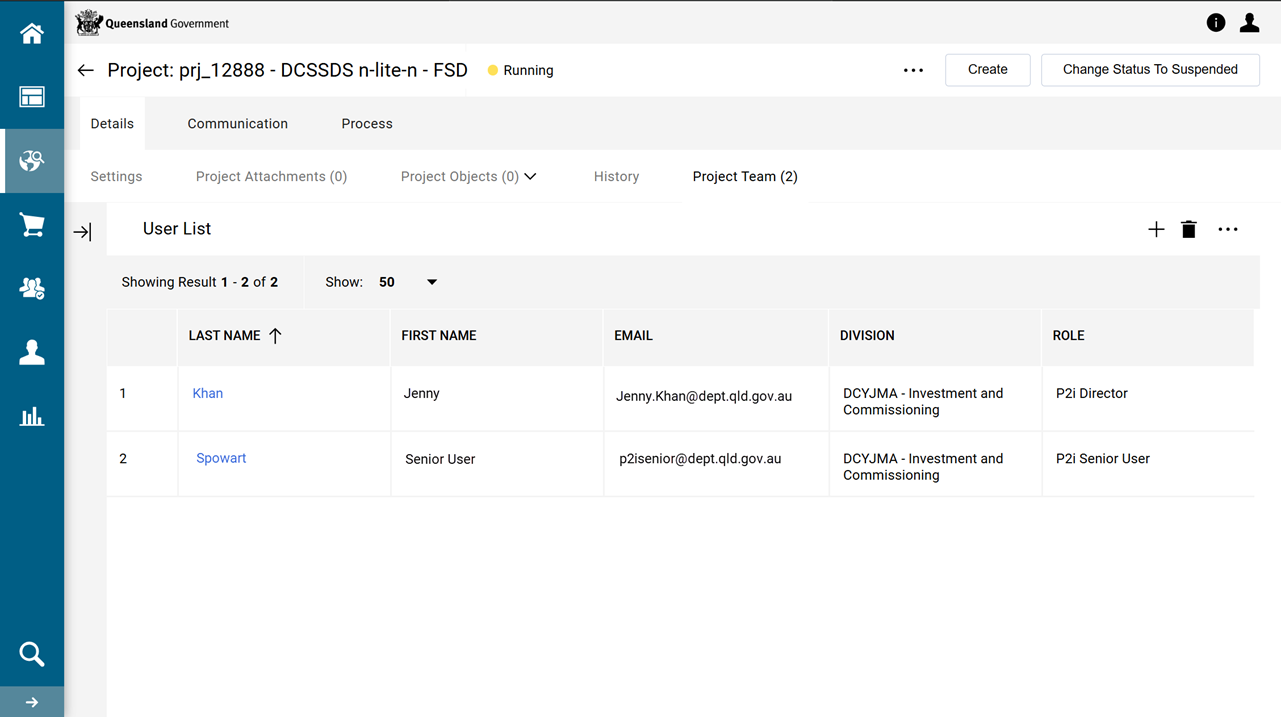
In the project, Click Details tab > Project Team.
-
Click +.
-
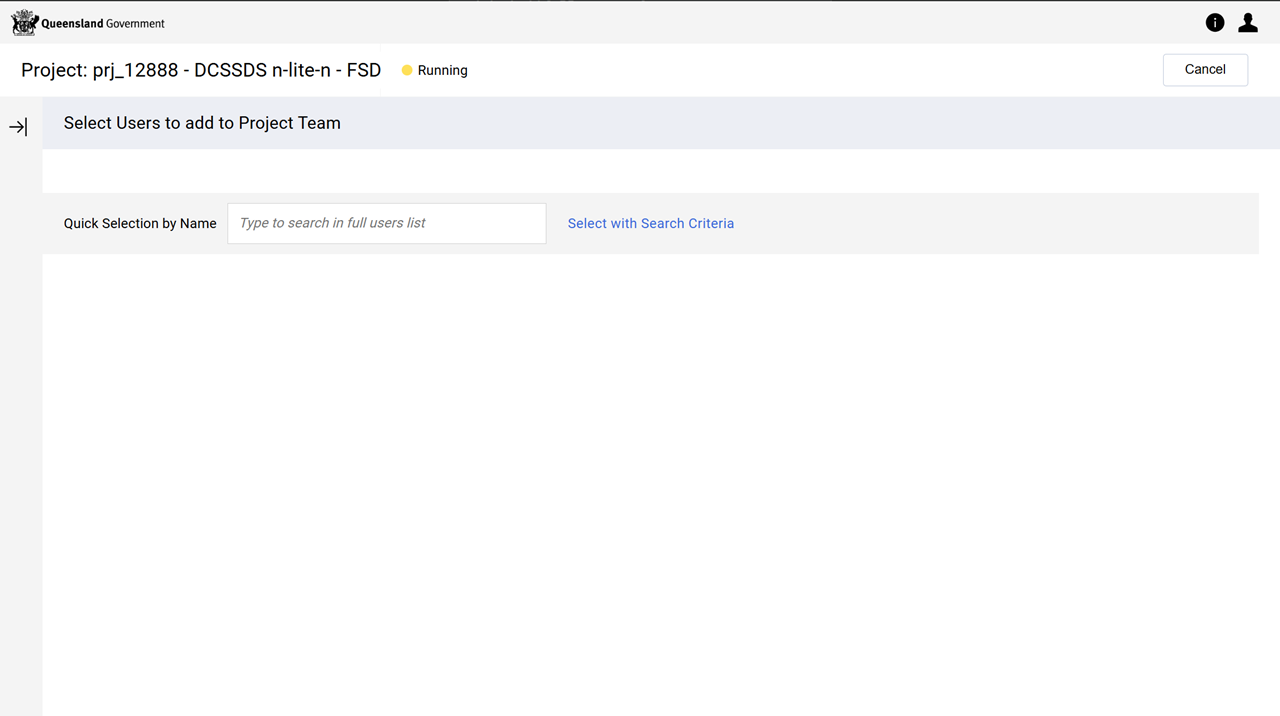
Use the Quick Selection by Name field to locate project team members by name.
-
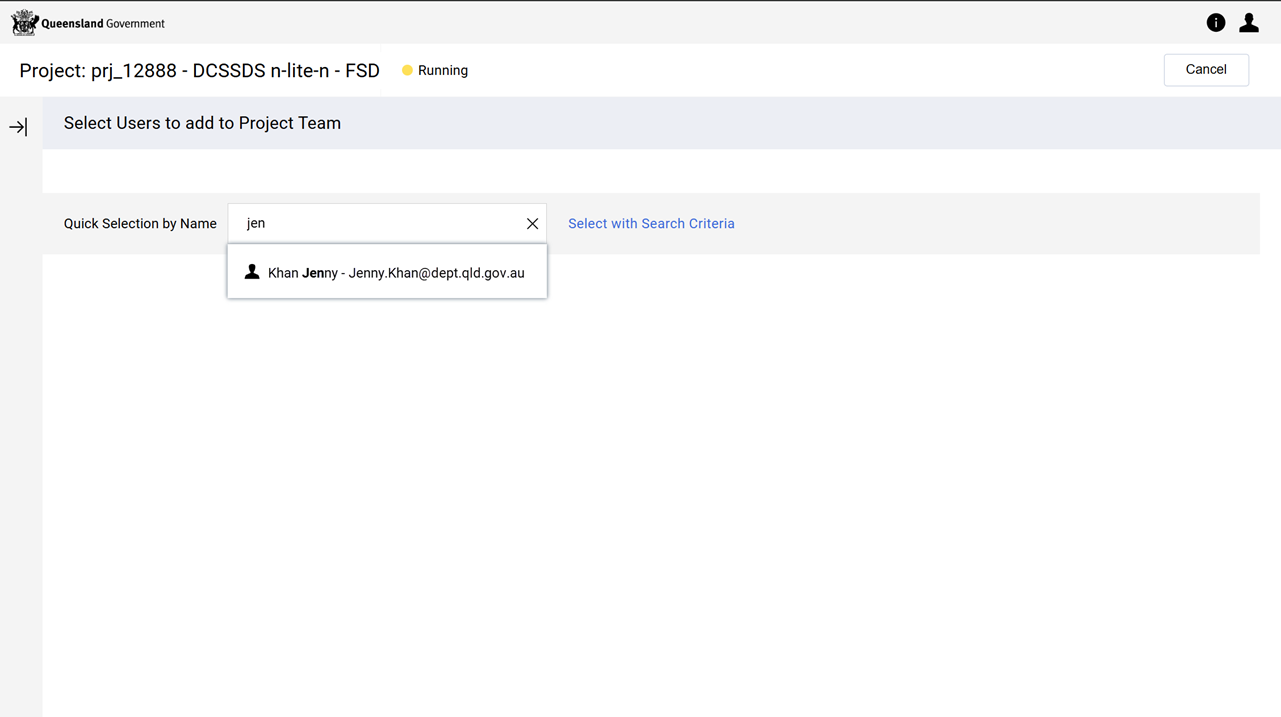
Type the member's first or last name.
-
Click their name in the list.
-
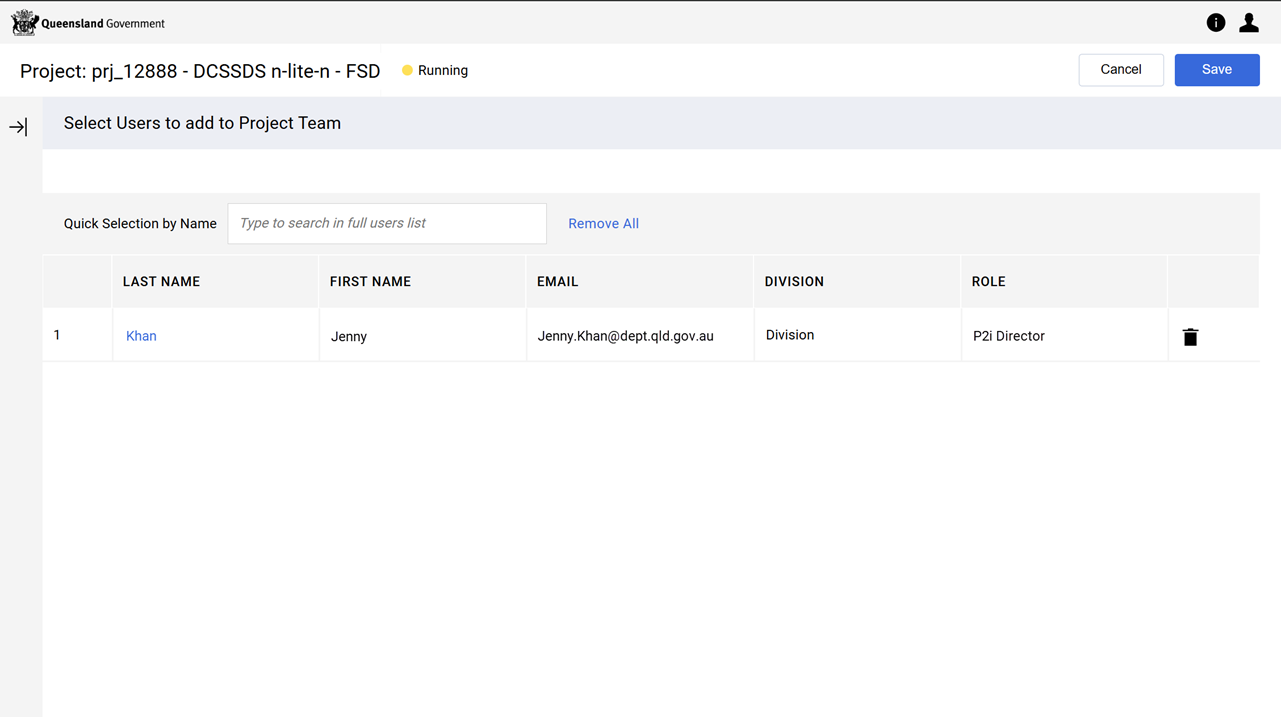
Repeat for all other Project Team members to be added.
-
-
Click Save.
-
Click Ok when prompted by the system.
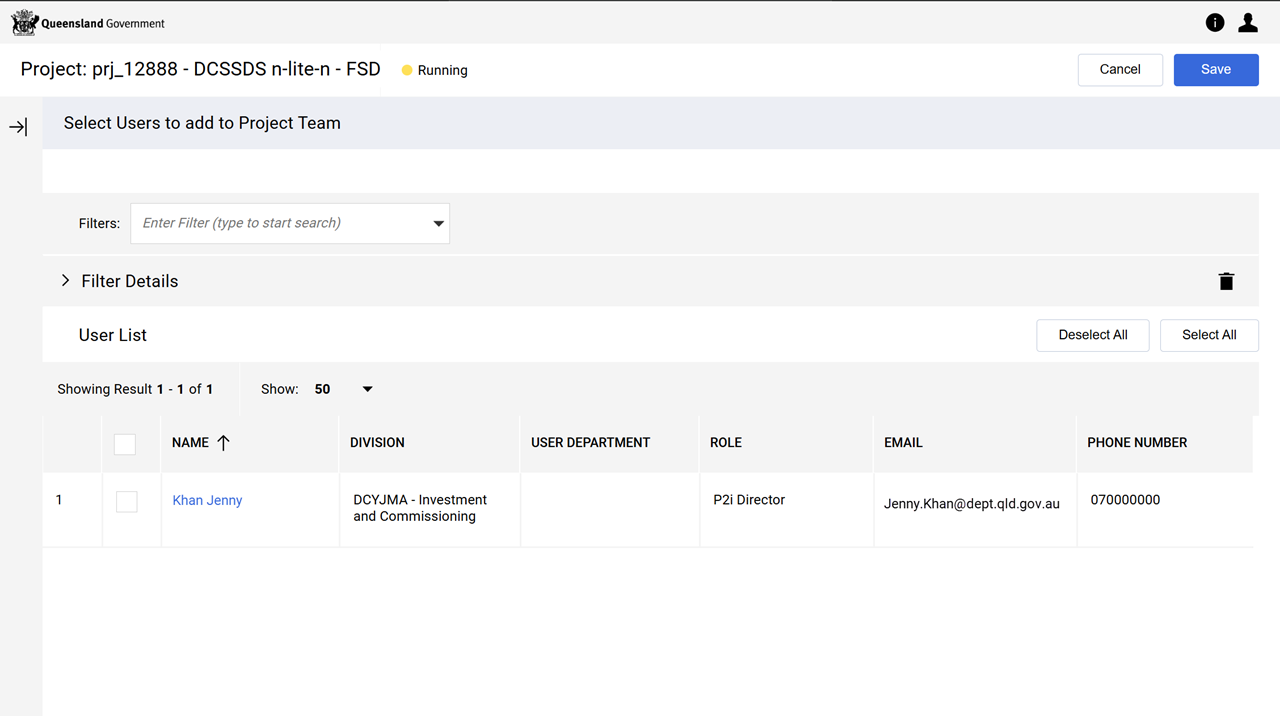
 (Optional) Search for project team members by their P2i Role Name.
-
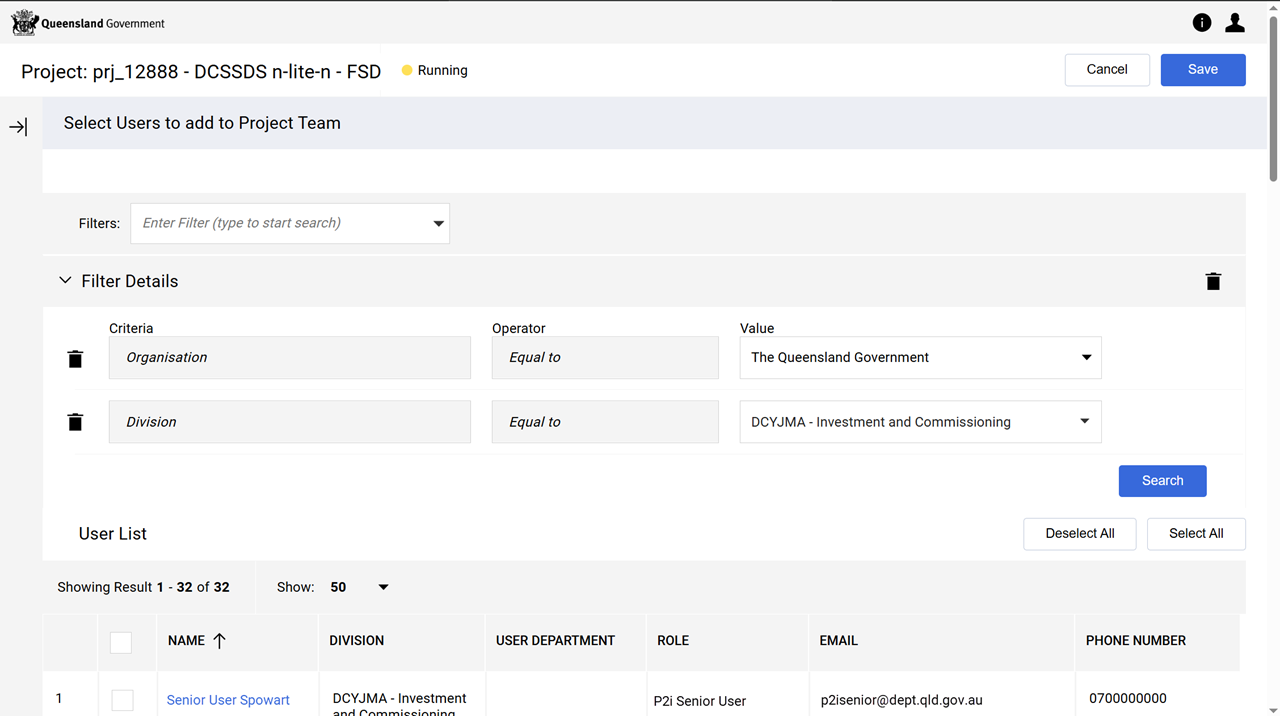
Click hyperlink Select with Search Criteria.
-
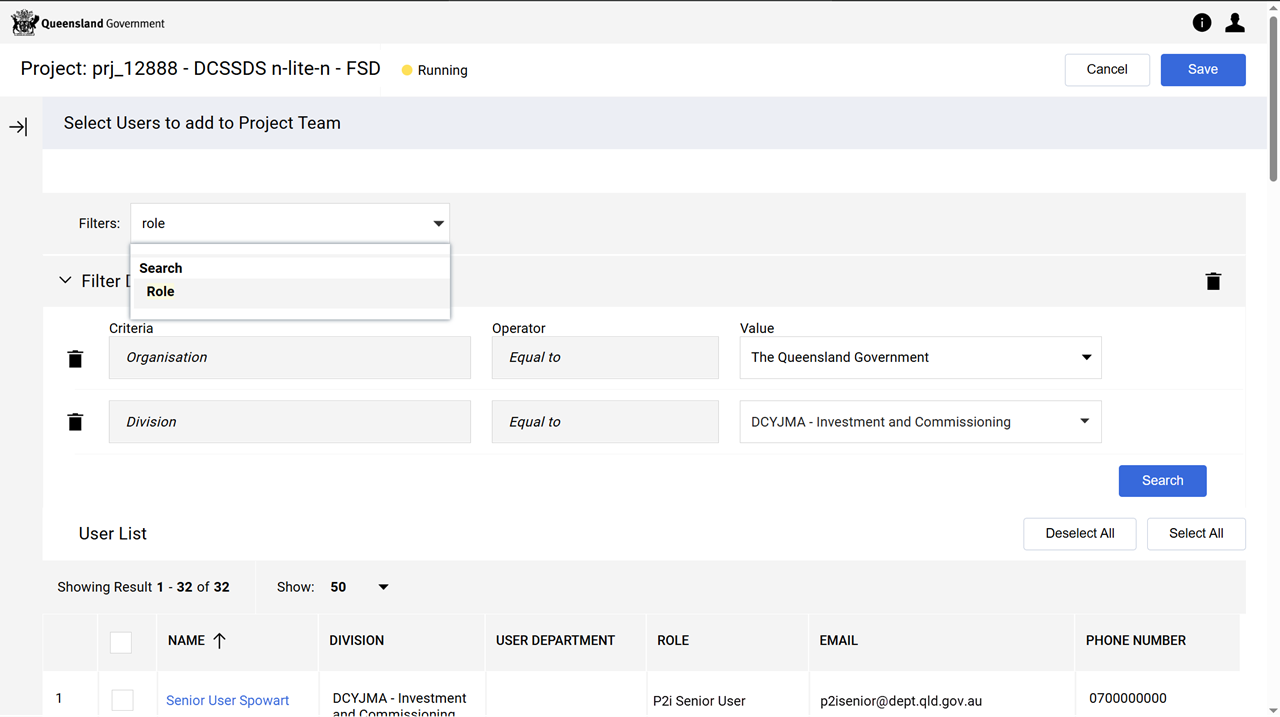
Type Role in the Filters field.
-
Select Role from the dropdown list.
-
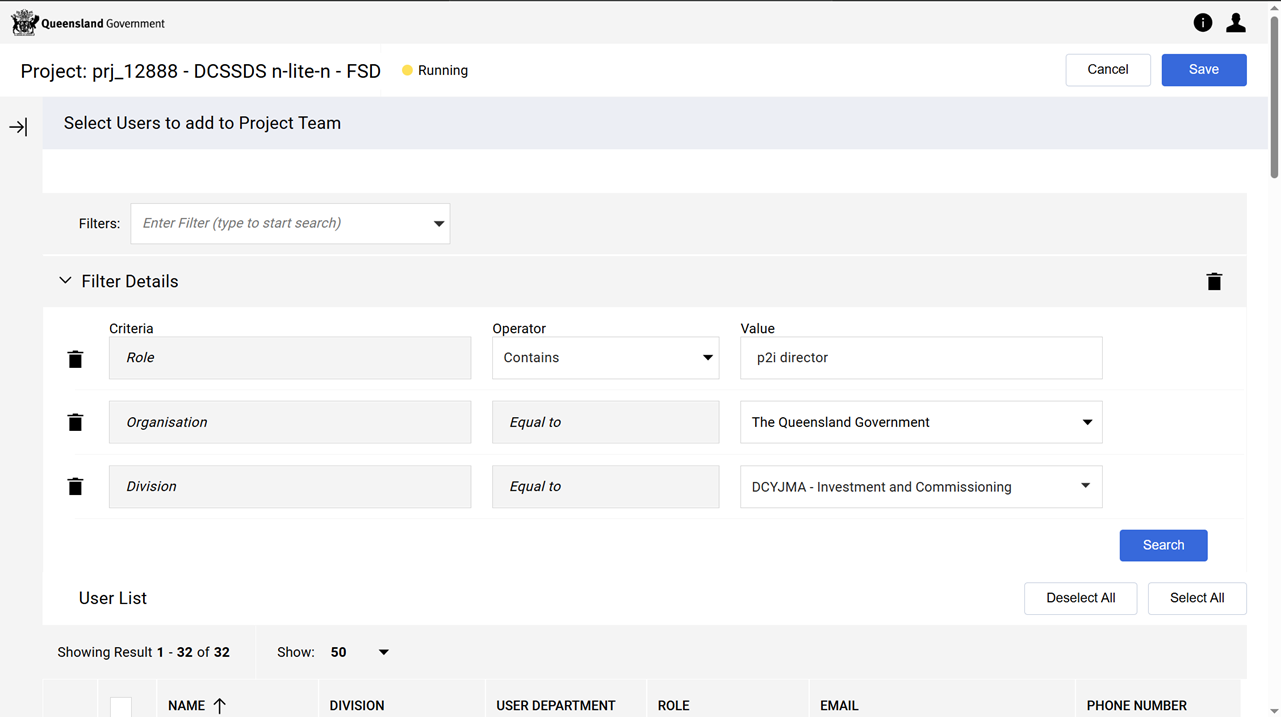
For the Role Criteria field:
-
Operator - select Contains
-
Value - type the P2i Role Name (e.g. P2i director).
-
-
Click Search.
-
Tick the team member/s and click Save.
 .
. -
Click OK (when prompted by the system).